Track Competitor Ad Changes: A Practical Guide
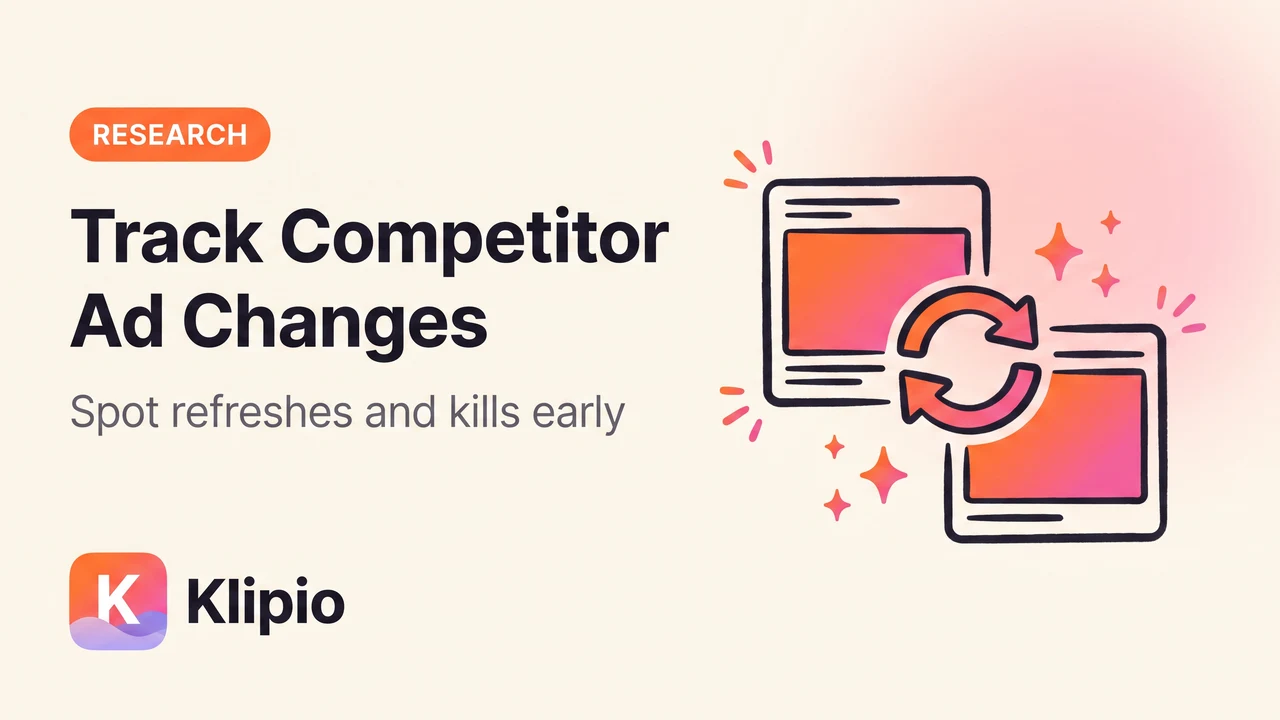
To track competitor ad changes on Meta, watch the "Started running on" date on each ad in the Facebook Ad Library. When that date resets on the same hook or visual, the ad was refreshed, not launched new. When an ad disappears from the search results and doesn't come back, it was likely killed.
Both signals matter more than a brand-new ad showing up. A refresh or a kill tells you what a competitor already learned about what's working, weeks before you'd see it any other way.
Here's how to track competitor ad changes correctly, and how to catch them without checking the same search by hand every day.
What does it mean when a competitor "changes" an ad?
An ad in the Meta Ad Library can change in three ways. It can get a fresh start date while keeping the same creative — a refresh. It can stop showing up entirely — a kill. Or it can appear as a genuinely new ad ID with new copy and visuals — a launch.
These aren't the same event, and treating them the same is how people misread the market. A refresh means "this is still working, we're extending it." A kill means "this stopped working, or the promo ended." Confuse the two and you'll copy an angle your competitor just abandoned.
How do you tell a refresh from a new ad?
This is the part most people get wrong. Meta doesn't label refreshes for you — you have to compare the "Started running on" date against the creative itself.
If the hook, visual, and offer are the same but the start date jumped forward, that's a refresh. The advertiser pulled the ad and relaunched it, usually to reset frequency or test a new headline variant. If the ad ID, hook, and visual are all different, treat it as a separate test — it hasn't proven anything yet.
How do you spot when a competitor kills an ad?
An ad is killed when it stops appearing in the competitor's active ad set and doesn't return within a week or two. Outside the EU, Meta removes ads from the Ad Library the moment they go inactive, so you're working from absence, not a "paused" label.
The tricky part is telling a kill apart from a normal pause between promos. If the same offer reappears later with the same creative, it wasn't really killed — the brand just turned it off for a slow week. A true kill is when the hook or offer never comes back at all.
Why do refreshes and kills matter more than new launches?
New ad launches are cheap. Anyone can spin up a test. What separates a real signal from noise is what a competitor does after the test runs.
Longevity is the strongest performance signal Meta gives you for free, because advertisers pay for impressions on every ad, working or not. Nobody keeps paying for a loser. An ad that survives long enough to get refreshed already beat their internal bar. Our guide on reading ad longevity as a performance signal goes deeper into how to read those run-time numbers.
A cluster of refreshes across several of a competitor's ads in the same week is even more useful. It usually means a new drop, a seasonal promo, or a pricing change just launched, and they're pushing their proven creative harder to support it.
What does the Ad Library actually let you track, and what does it hide?
Before building a tracking routine, it helps to know the ceiling. The public Ad Library is free and shows every active ad from any advertiser, but it was never built as a monitoring tool.
| You can see | You cannot see |
|---|---|
| Every currently active ad | Spend or budget |
| "Started running on" date | Exact refresh reason (creative fatigue, new offer, etc.) |
| Creative, copy, and platforms shown | Clicks, CTR, or ROAS |
| EU: inactive ads too, plus limited reach data | Outside EU: any ad once it goes inactive |
That gap is exactly why refresh and kill tracking exist as a discipline. You're reconstructing performance from public signals because the direct numbers were never public in the first place.
What's the fastest way to track competitor ad changes across several rivals?
Checking one competitor's search by hand once is easy. Doing it daily across five or ten rivals, and remembering what changed since last time, is where most people give up.
The practical fix is to keep a dated snapshot of each competitor's active ad set, then diff today's list against last week's. Anything missing is a possible kill. Anything with the same hook and a later start date is a refresh. You can build that habit with a simple spreadsheet, or automate it with a paid monitoring tool.
Our free Meta Ad Library downloader adds a "Find all ads" button that scrolls a whole search and saves every running ad — video, image, or all of it — into one dated ZIP, with a free searchable swipe file included so you can scan hooks fast. Run it on the same competitor search weekly and you've got your own snapshot history without paying for one.
If you'd rather not build the tracking loop yourself, paid tools handle the diffing automatically. Foreplay (from $59/mo, $49 annual) and Minea (from $49/mo) both flag when a competitor's ad set changes. AdSpy ($149/mo, no free trial) leans on a large searchable archive rather than live alerts. Pipiads (from $49/mo) and BigSpy (from $9/mo, with a free tier) cover a broader mix of platforms alongside Meta. Pick based on whether you want alerts or a bigger archive to search.
How do you turn refresh and kill data into a decision?
Raw change logs are only useful once you group them. Sort what you've tracked into three buckets: ads that keep getting refreshed (proven winners worth studying closely), ads that got killed fast (weak angles to avoid), and ads still too new to judge.
Weight your attention toward the first bucket. An angle a competitor has refreshed three or four times over two months has survived more scrutiny than anything currently running for the first week. For a wider view of how to build that research habit across a whole market, see our guide to monitoring competitor ads on Meta and our walkthrough on seeing what competitors are running on Facebook.
If you're comparing paid options for this kind of tracking at scale, our ad spy tool comparison lays out pricing and feature differences across the main players.
FAQ
How often should I check competitor ads for changes?
Weekly is usually enough to catch refreshes and kills without wasting time. Daily checks make sense only if you're tracking a single high-priority rival during a launch window.
Does the Meta Ad Library show ad history, or only what's live right now?
Outside the EU, it shows only currently active ads — no history, no archive of what ran and stopped. Inside the EU, inactive ads stay visible along with some reach and targeting data, which makes tracking easier there.
What's the real difference between a refresh and a brand-new ad?
A refresh keeps the same hook, visual, and offer but resets the "Started running on" date. A new ad has a different creative entirely and hasn't proven anything yet — treat it as a test, not a signal.
Can I get notified automatically when a competitor changes an ad?
The public Ad Library has no built-in alerts. Paid tools like Foreplay and Minea offer change notifications; the free route is running a manual or downloader-based check on a set schedule.
Why would a competitor kill an ad that still looks fine?
Creative fatigue, a promo ending, a stockout, or a new offer replacing it are the common reasons. The ad itself might still convert fine at a lower scale — the competitor just moved budget elsewhere.
Does Meta explain why an ad stopped running?
No. The Ad Library gives you a start date and current status, nothing else. Any reason you assign to a kill is an inference from the pattern, not a fact Meta confirms.
Tracking competitor ad changes isn't about watching every new ad that appears. It's about noticing what a competitor keeps betting on and what they quietly walk away from. Those two signals, read consistently, tell you more than a spend number ever would.
The Klipio extension adds a download button to every ad in the Meta Ad Library: one click per ad, or bulk-save a whole search as a ZIP with a searchable swipe file inside. Free, no sign-up.
Get the free Ad Library downloaderKlipio reads a competitor's live Meta ads, ranks them by how long they have been running — the honest signal that an ad is profitable — and turns the winning angle into on-brand creative for your own brand. 3-day free trial.
Start free — 3-day trial →