

Meta Ad Library Downloader
Klipio is a free Chrome extension for the Meta (Facebook) Ad Library. See how long each ad has run, download its video, image or carousel in one click, or download Meta ads in bulk.
Chrome extensions install on a computer. Send yourself the link.
A 71-second demo of the Klipio Chrome extension on the Meta Ad Library: see how long each competitor ad has been running, download a video, image or carousel in one click, scan a brand's ads with Find all ads, and share a board with your team in Klipio Studio.

Read the film transcript
Which of your competitor's ads are actually winning? In the Meta Ad Library, every ad looks the same. You can't tell what's working. Klipio shows how long each ad has been running, and puts the longest-running winners on top. Found a great concept? Save it before it's gone. One click downloads the video, image or carousel. No watermark. It stays in your library, with the hook, the copy, and the days running. Need to brief your team? Hit Find all ads, and Klipio scans a brand's ads in one go. See their mix at a glance: videos versus images. Filter by format and platform. Spot their top calls to action. Then, bring in your team. With Klipio Studio, invite a teammate with one email. Comment on any ad, tag them, and assign the remake. Share the board with one link. No login to view. The downloader and your library are free. Klipio Studio is nine dollars a month. Go to the Chrome Web Store, type Klipio, and add it.
See which competitor ads are winning
In the Meta Ad Library every ad looks the same, so you can't tell what's working. Click Find all ads and Klipio shows how many days each ad has been running, right on the ad. Ads that run for months are usually the ones worth studying.

Counted from Meta's own date
Klipio counts the days from the “Started running on” date Meta shows on each ad it reads, so you can check the number yourself.
Longest-running ads on top
After Find all ads, open Filters and sort by days running. The ads that have lasted longest come first.
Filter by what matters
Narrow the page by format, platform, call to action or a minimum number of days running.
Download Facebook ads: video, image or carousel
Found a great concept? Save it before the advertiser switches it off. Klipio works as a Facebook Ad Library downloader right on the page: it adds a Download button to each ad, and one click saves the file to your computer.

Video ads
As a Facebook Ad Library video downloader, Klipio saves the video to your Downloads folder, in HD when Meta has it.
Carousel ads
When the button says Download carousel, Klipio saves every card, not just the one Meta shows first.
Image ads
Click Download image and you get the picture the ad ran with, as an image file.
No watermark, logo or overlay is added to any file.
Every ad you save stays in your free library
Save an ad to a board and it stays in your Klipio library with the hook, the full copy and the days running. It lives in this browser.

The hook and the full copy
The opening line and the whole ad text stay next to the file, ready for your next brief.
Days running, and a still-live check
See how long the ad has run, then press Check if still running.
Boards, tags and notes
Group ads into boards, add tags and notes, and sort your library by longest running.
Download Meta ads in bulk: every ad from a brand at once
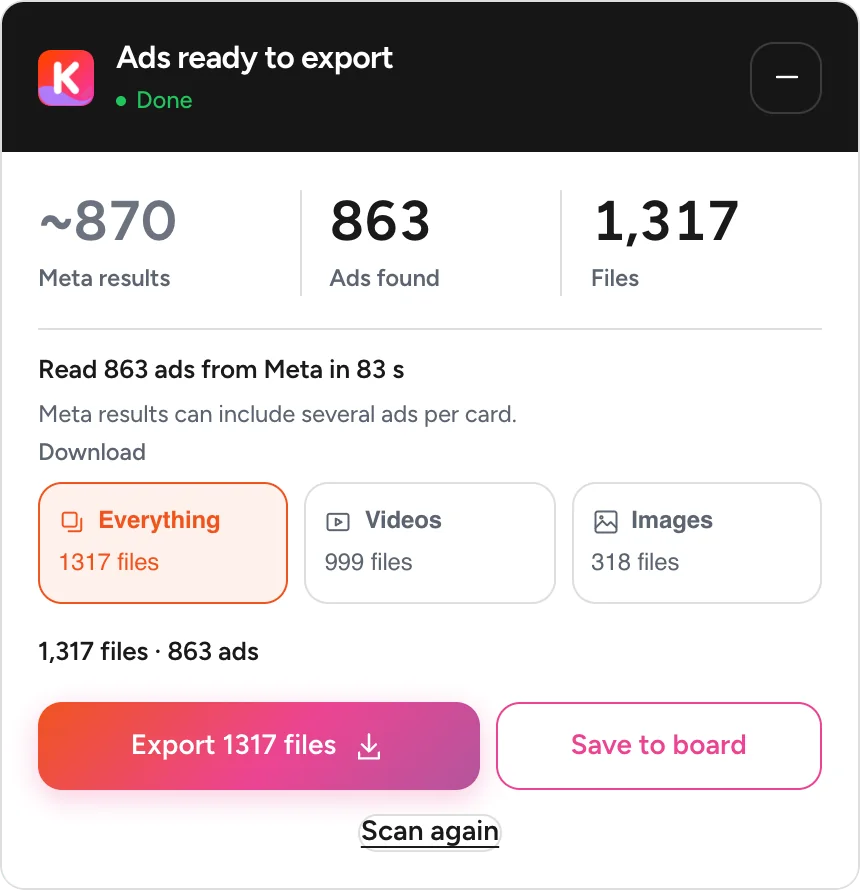
Need a brand's whole playbook? For a bulk Meta ads download, click Find all ads and Klipio scans the ads in your search in one go: up to 2,500 per run, and you can keep going.
- See their mix at a glance: how many videos, how many images
- Save everything, or just the videos, or just the images
- Meta's own estimate of the results, next to what Klipio found
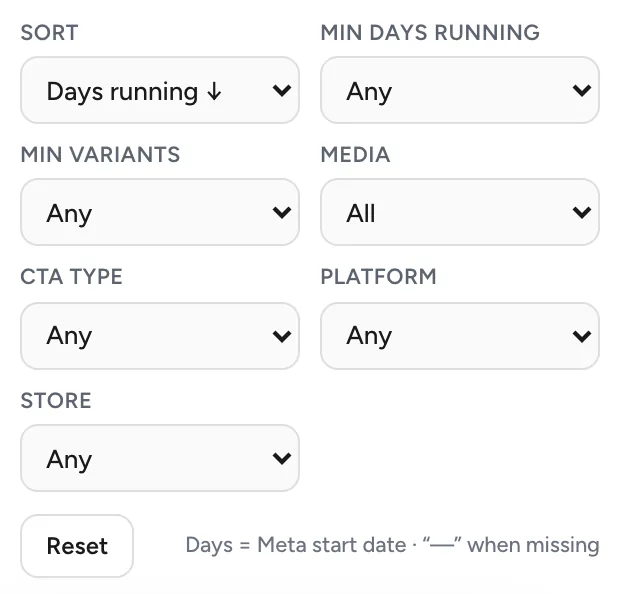
Filter by format and platform
Narrow the page by media type, platform, call to action or days running, right on the Ad Library.

Spot their top calls to action
Save a brand's ads and its summary shows the longest-running ad, the calls to action it uses most and the words its ads open with.
Everything above is free: the downloader, Find all ads, filters and your library.
Share ads with your team in Klipio Studio
When you're ready to bring in your team, Klipio Studio puts your boards online. It's the one paid part of the Klipio extension.
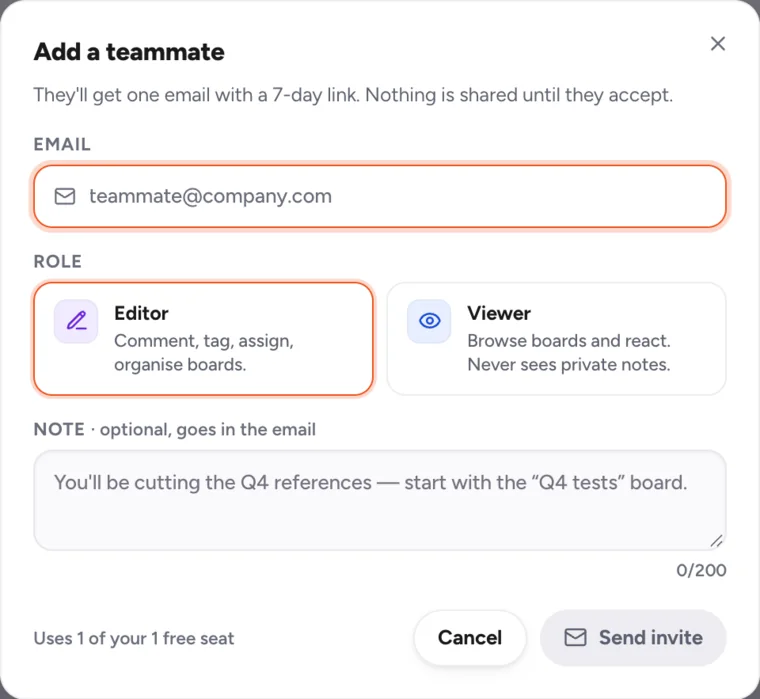
Invite a teammate with one email
They get one email with a link. Make them an Editor or a Viewer.
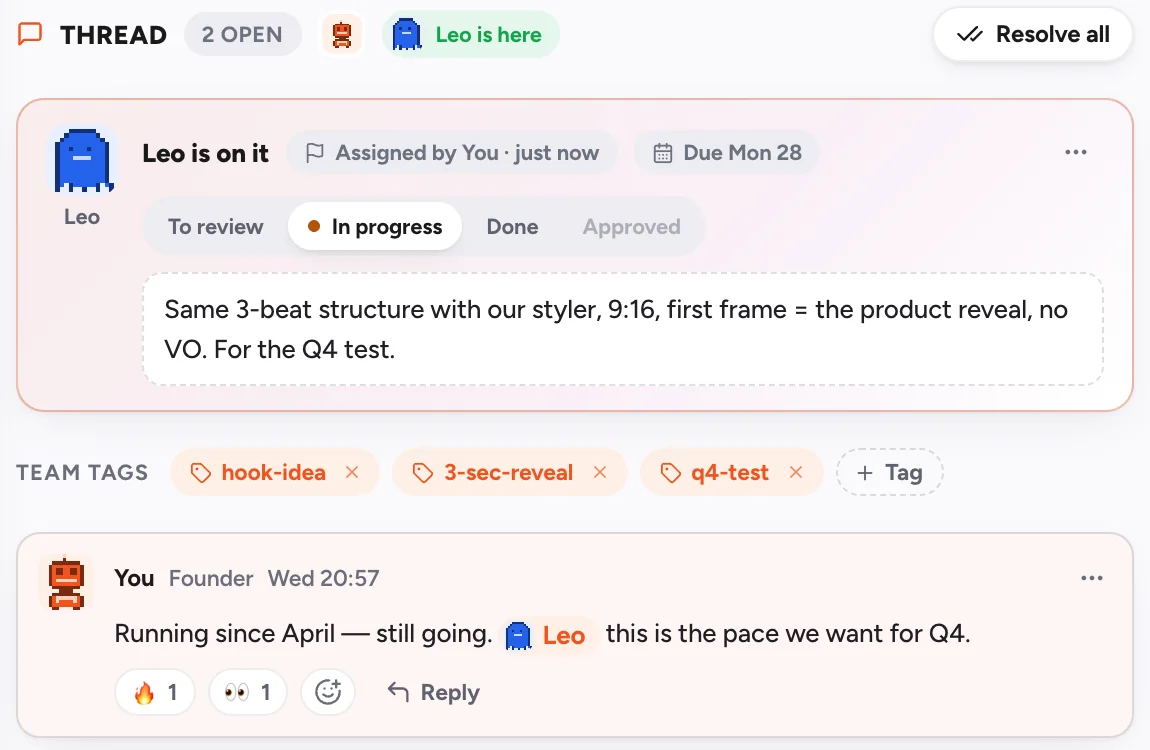
Comment, tag them, assign the remake
Comment on any ad, @mention a teammate and assign the remake with a due date.

Share a board with one link
Anyone with the link can open the board. No login to view, and each ad shows how long it has been running.
Team screens use sample teammates. Comments, tags and assignments happen in the Klipio Studio web app.
What's free, and what costs $99 once
The downloader and your library are free. Klipio Studio is for working with a team.
Free
No sign-up
- Download videos, images and carousels, no watermark
- Days running on each ad it reads, with sort and filters
- Find all ads, up to 2,500 ads per run
- Your library with hook, copy and days running, in this browser
- Export as a ZIP or a CSV
Klipio Studio
lifetime, no renewals · or $9/month · you + 1 teammate
- Everything in Free
- Your library backed up (up to 10,000 ads) on every Chrome you connect
- Invite a teammate, comment, @mention and assign
- Share a board by link, no login to view
- Add 5 more seats for $5/month
Start free. If your team needs Klipio Studio later, you can add it from inside Klipio.
How to download from the Meta Ad Library in 3 steps
Add Klipio from the Chrome Web Store
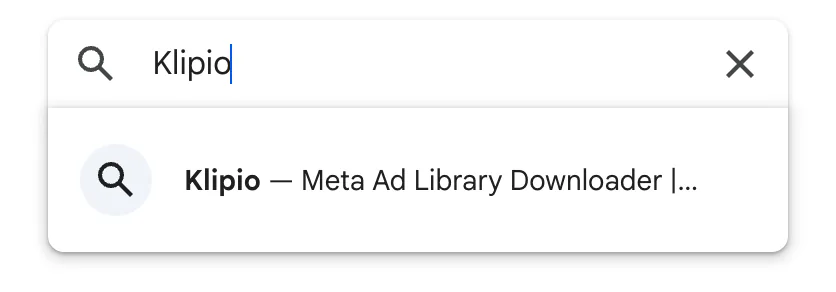
Search “Klipio” on the Chrome Web Store and click Add to Chrome. No sign-up.
Open the Meta Ad Library and search a brand
Go to facebook.com/ads/library and type a brand name. Klipio adds a Download button to each ad, and shows the days running on each ad it reads.

Click Find all ads, then download
Click Find all ads in the bottom-right corner and Klipio reads the ads in your search, up to 2,500 per run. Then click Download on any ad, or save them all at once.

Every way to download from the Meta Ad Library
There are four real ways to get an ad out of the Meta Ad Library. Here's each one, including the ones that don't need Klipio.
A browser extension
A Facebook ad downloader that sits right on the Ad Library: a Download button on each ad, the days running on the ads it reads, and Find all ads to scan a brand's ads in one go, up to 2,500 per run. This is what Klipio does, free and with no account.
DevTools (manual, free)
Chrome's Network tab can surface an ad's video file by hand. Free and nothing to install, but slow: one ad at a time, and easy to grab a low-quality copy by mistake.
Screen recording
Recording your screen always works, but you lose quality, capture parts of the page, and it doesn't scale past a handful of ads.
Meta's Ad Library API
Meta's official API returns ad text and a link to each ad, for political and issue ads and for ads shown in the EU. It doesn't hand you the video or image files, which is why downloaders exist.
Meta Ad Library downloader: FAQ
How do I download from the Meta Ad Library?
Is the Meta Ad Library downloader free?
How can I see how long a Facebook ad has been running?
Can I download Meta ads in bulk?
Does it work on image ads and carousels?
Are the downloads full quality, with no watermark?
Can I download Meta Ad Library ads on my phone?
Can I download from the Meta Ad Library without an extension?
Is it legal to download from the Meta Ad Library?
Why won't some ads download?
What is Klipio Studio, and do I need it?
Is my data private? What can Klipio see?
Page updated · Works in Chrome on a computer
Add Klipio to Chrome
Go to the Chrome Web Store, type Klipio, and add it.Klipio installs on a computer. Send yourself the link, then add it in Chrome there. The downloader and your library are free.