Why Do Ads Disappear From the Ad Library?
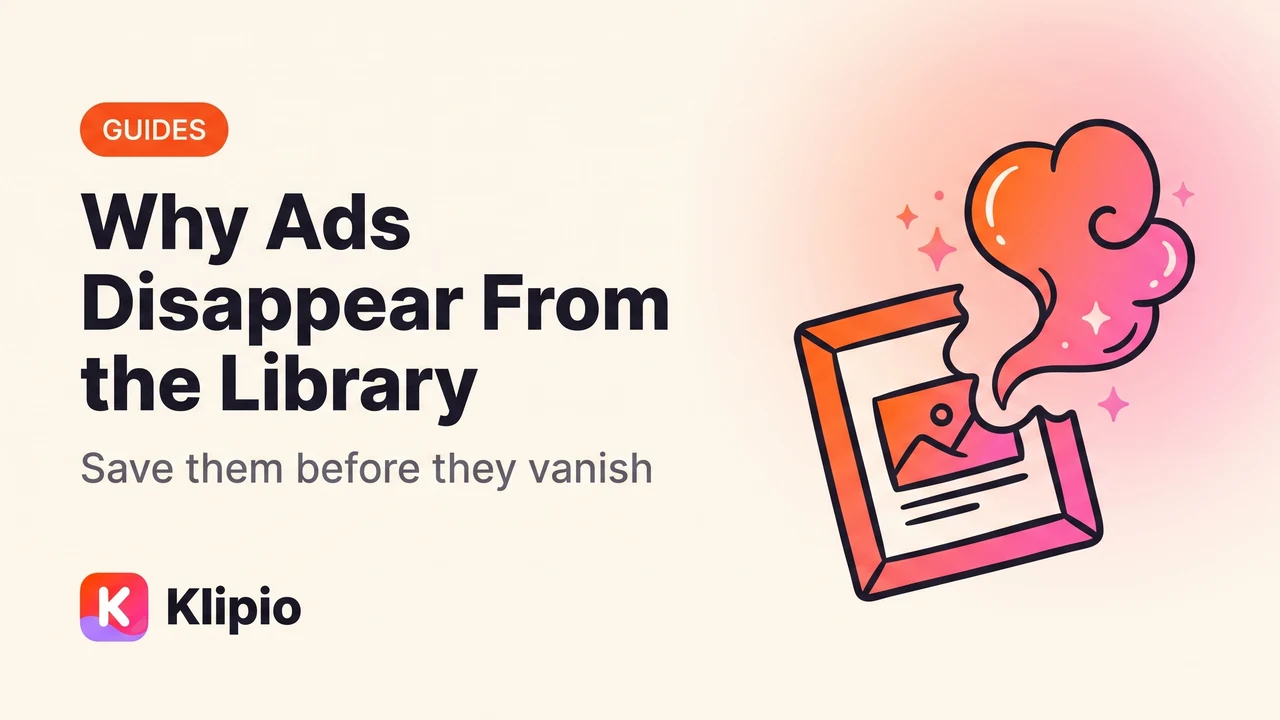
Ads disappear from the Meta Ad Library because the library only lists ads that are currently running. The moment an advertiser pauses or ends an ad, Meta drops it from the results, usually within a day, and outside a few exceptions there's no way to search it back up.
That single fact explains almost every "where did this ad go" moment media buyers run into.
Why do ads disappear from the Ad Library?
The Ad Library is built as a live compliance tool, not a research archive. Meta added it in 2019 so anyone could see what an advertiser is running right now, mainly for political and transparency reasons. Commercial ads were folded in later, but the underlying design never changed.
That design means the library is not an archive. It's a snapshot of "what's live today." Once an ad stops running, it drops out of that snapshot.
There are three real exceptions worth knowing:
- EU-based advertisers must keep ads visible for a period after they end, so you can still find some inactive EU ads.
- US political and social-issue ads stay searchable longer, with spend ranges attached, because of separate transparency rules.
- Everything else — the vast majority of ecommerce and DTC ads — vanishes the moment it's paused.
If you were watching a competitor's swimwear ad last week and go back today, and they've since paused it, it's gone from search. Not hidden, not archived under a different tab.
Is the Ad Library an archive?
No. The Ad Library is a real-time directory, and treating it like a permanent archive is the single most common mistake in competitor ad research. People bookmark a page, plan to come back "later this month," and find the ad missing.
The confusion is understandable. Meta calls it a "library," which sounds like something you can check out and return to. In practice it behaves more like a live feed: what's on screen right now is what exists, and last week's version isn't stored anywhere you can reach.
Why can't I just look up the ad again later?
Because there's no lookup path for a normal commercial ad once it stops running. The official Ad Library API — the programmatic version of the same data — only returns political and social-issue ads, plus EU ads covered by the Digital Services Act. It was never built to return commercial ads for competitor research, active or not.
So if a rival's carousel ad ends and you didn't save it, there's no API call, no archive tab, and no support ticket that gets it back. The only copy that ever existed is the one you didn't grab in time.
How do I save an ad before it disappears?
The fix isn't a tool, it's a habit: treat every ad worth studying as temporary the second you find it. If a hook, an offer, or a carousel sequence is worth revisiting, save the video or image files right then, not on a "someday" list.
- 1Find a live ad worth keepingSearch a brand or keyword in the Ad Library
- 2Save it the same dayVideo, image, or every card of a carousel
- 3Build a swipe fileKeep hooks and angles even after the ad ends
- 4Search your own filesFaster than the library's exact-match search
That last step matters more than people expect. The library's search is exact-match and clunky — it won't catch typos, partial brand names, or a hook you half-remember. A folder of your own saved ads, named and searchable, beats hunting the live library every time.
This is also the gap our free Chrome extension, the Meta Ad Library Downloader, was built to close. It adds a Download button to every ad inside the public library, pulls video in original HD with no watermark, and grabs full carousels card by card instead of just the first image. A bulk "Find all ads" mode scrolls an entire search and packs everything into one ZIP with a searchable swipe board included. It's free, needs no account, and nothing routes through our servers — it runs on your own connection.
What's the difference between the Ad Library and a saved swipe file?
Here's the practical trade-off once an ad you cared about is gone from the live library.
| The Ad Library (live) | A saved swipe file | |
|---|---|---|
| Shows ads that ended | No (outside EU/political) | Yes, forever |
| Search | Exact-match, brand or keyword only | Your own tags, hooks, notes |
| Spend or click data | Never shown | Never shown (Meta doesn't expose it either way) |
| Carousels | View each card manually | Every card saved and playable offline |
| Cost | Free | Free, if you save as you go |
Neither view gives you spend or ROAS — Meta doesn't expose that for normal ads, no matter which tool you use. The real difference is whether the ad still exists for you to look at once the advertiser moves on.
Do paid ad-spy tools keep ads from disappearing too?
Paid tools solve this by scraping and storing ads continuously, so their archives outlast whatever's currently live on Meta. That's the trade you're paying for.
| Tool | Starting price | What it's good at |
|---|---|---|
| AdSpy | $149/mo | Long-running historical archive, no free trial |
| Foreplay | $59/mo ($49 annual) | Swipe files and team boards |
| Minea | $49/mo | Cross-platform ad and product tracking |
| BigSpy | Free tier, from $9/mo | Budget entry point |
| PowerAdSpy | $69/mo | Broad filtering options |
| Pipiads | $49/mo | Strong on TikTok alongside Meta |
| Atria | $129/mo | Deeper analytics layer |
| Dropispy | Free, or $29.90/mo | Ecommerce-focused, low cost |
Worth flagging: MagicBrief was acquired by Canva and shut down on July 31, 2026, with Canva Grow as the stated successor. It's a reminder that even paid archives aren't permanent — tools get sunset, and whatever you didn't export can disappear right along with them.
If you're deciding between the free route and a paid one, our guide to the best ad-spy tools breaks down the full list with what each one actually does well.
FAQ
Why do Facebook ads disappear from the Ad Library?
Because the library only lists ads that are currently running. Once an advertiser pauses or ends an ad, it drops out of search results, usually within about a day, unless it's an EU advertiser or a US political ad covered by longer retention rules.
Can I find an old ad that's no longer running?
Only in limited cases. EU advertisers must keep ended ads visible for a period, and US political and social-issue ads stay searchable with spend ranges. For everything else, once it's paused, it's gone from the public library for good.
Does the Ad Library API let me pull ads that already ended?
No. The official Ad Library API only returns political and social-issue ads, plus EU ads under the DSA. It was never built to serve commercial ecommerce ads, active or inactive, so it can't recover one you missed.
How long does an ad stay in the Ad Library after it's paused?
Typically about a day for most commercial ads, based on how the library refreshes its active-ad index. EU and US political exceptions aside, treat "paused" as "gone soon" and save what you need before that happens.
What's the best way to keep an ad before it disappears?
Save the video, image, or full carousel the day you find it, then keep it in a searchable folder rather than relying on the live library. A free Chrome extension can do this in one click per ad, or in bulk for a whole search, with a searchable swipe board included in every download.
Is it legal to download ads from the Ad Library?
Downloading public ads for personal research is common practice among media buyers, and studying an ad's angle isn't the same as reusing its actual creative commercially. This isn't legal advice, so check with a lawyer if you plan to reuse footage or images directly.
Once you understand that the Ad Library resets constantly, the rest of competitor research gets a lot less frustrating. Start with our Meta Ad Library guide if you're still getting the basics down, build a proper Facebook ads swipe file so nothing you find gets lost again, and see our post on downloading Facebook Ad Library videos for the mechanics of saving video specifically. For the bigger picture on watching rivals over time, our guide to seeing competitors' Facebook ads covers the full workflow beyond just saving files.
The Klipio extension adds a download button to every ad in the Meta Ad Library: one click per ad, or bulk-save a whole search as a ZIP with a searchable swipe file inside. Free, no sign-up.
Get the free Ad Library downloaderKlipio reads a competitor's live Meta ads, ranks them by how long they have been running — the honest signal that an ad is profitable — and turns the winning angle into on-brand creative for your own brand. 3-day free trial.
Start free — 3-day trial →